
Designing custom shirts sounds simple. Until you realize the hardest part is not printing. It is creating artwork that is actually ready for production. That is exactly why we built the T-Shirt Design Maker.
Most online tools create images that look great on a screen but are not usable for real screen printing. They lack proper vector formatting, ink separation control, and transparent backgrounds.
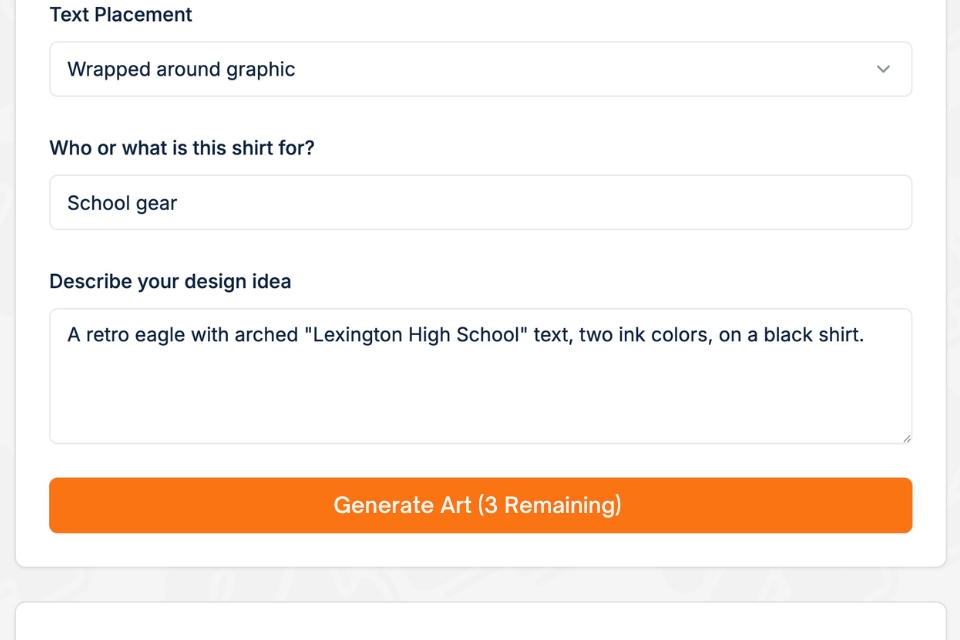
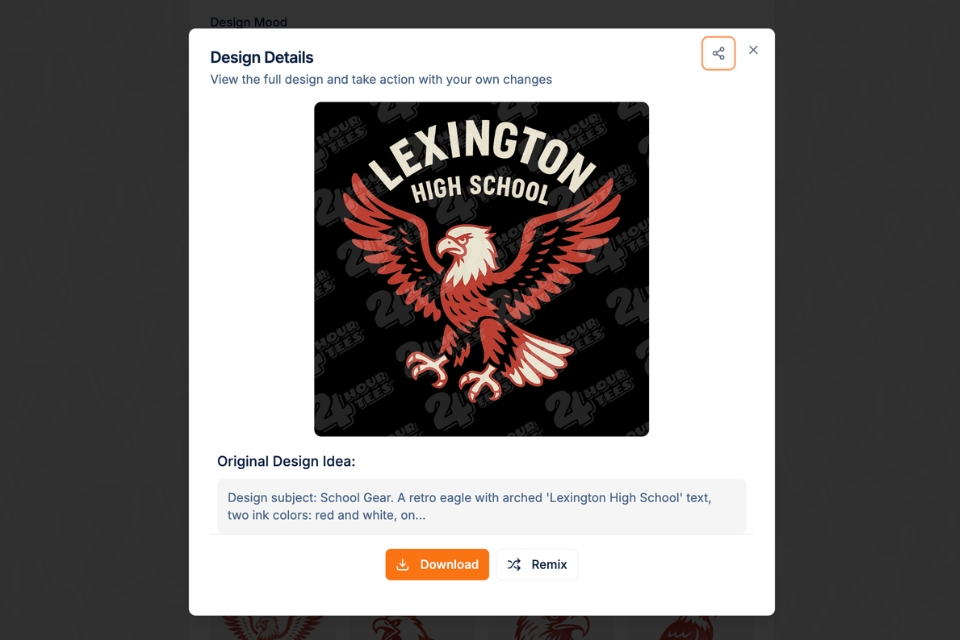
The T-Shirt Design Maker by 24 Hour Tees® allows you to describe your idea in plain language and instantly generate screen-print-ready SVG vector artwork. No graphic design experience required.
You describe it.
The AI builds it.
You download a production-ready file. 🚀
What Makes This T-Shirt Design Maker Different?
There are many “t-shirt design tools” online. Most fall into two categories:
Clip art editors that require design skills
AI image generators that are not built for printing
Our T-Shirt Designer Maker was created specifically for screen printing production.
Every design is:
Vector-based in SVG format
Built within 1 to 5 ink color limits
Designed with clean separations
Delivered with a transparent background
Ready to send directly to your printer
No cleanup. No reformatting. No back-and-forth emails asking for the correct file type.
This is not just a design tool. It is a production-ready tool.
How the T-Shirt Design Maker Works
Using the tool is simple.
Step 1: Choose Your Settings
You can select:
Ink count from 1 to 5 colors
Specific ink colors
Art style such as retro, bold, vintage, minimalist, or hand-drawn
Fabric color preview
Text layout style
Or choose Surprise Me Mode and let the AI make the creative decisions for you 🎨
How to Turn Your Print-Ready SVG Into an Actual Shirt
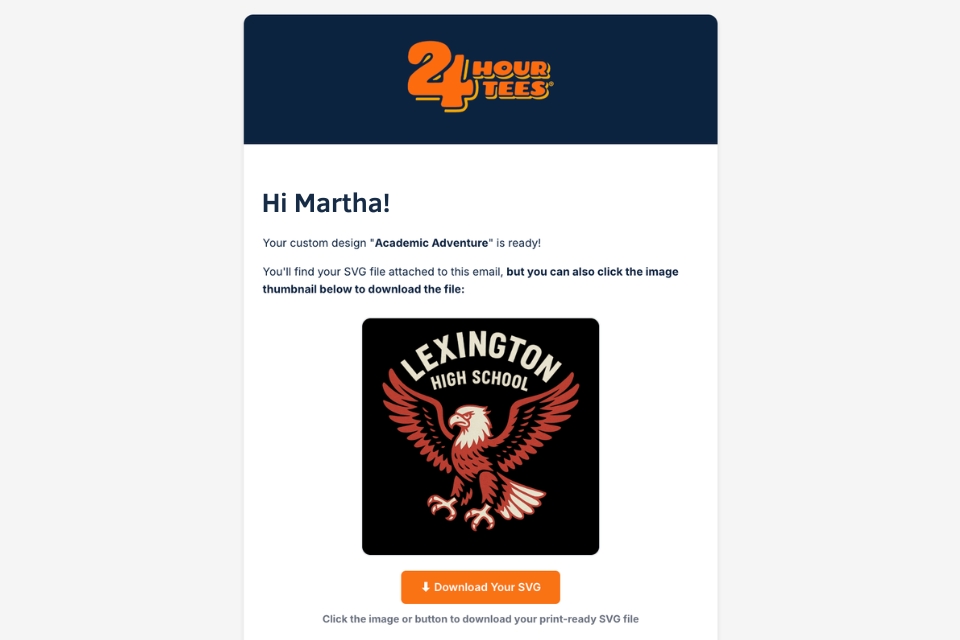
Creating the design is only the first step. Now it is time to turn your print-ready SVG file into real custom apparel.
Once you receive the email with your downloaded design, here is exactly what to do next.
Step 1: Go to the 24 Hour Tees Custom Apparel Catalog
Visit our Custom Apparel Catalog and browse through hundreds of garment options including:
T-shirts
Hoodies
Long sleeves
Performance tees
Sweatshirts
Tote bags
Choose the style, brand, and fabric that fits your project best.
If you are not sure what to pick, consider:
Cotton for everyday comfort
Blends for softness
Performance fabrics for athletic use
Heavyweight garments for premium merch
Once you select your product, click Design Now.
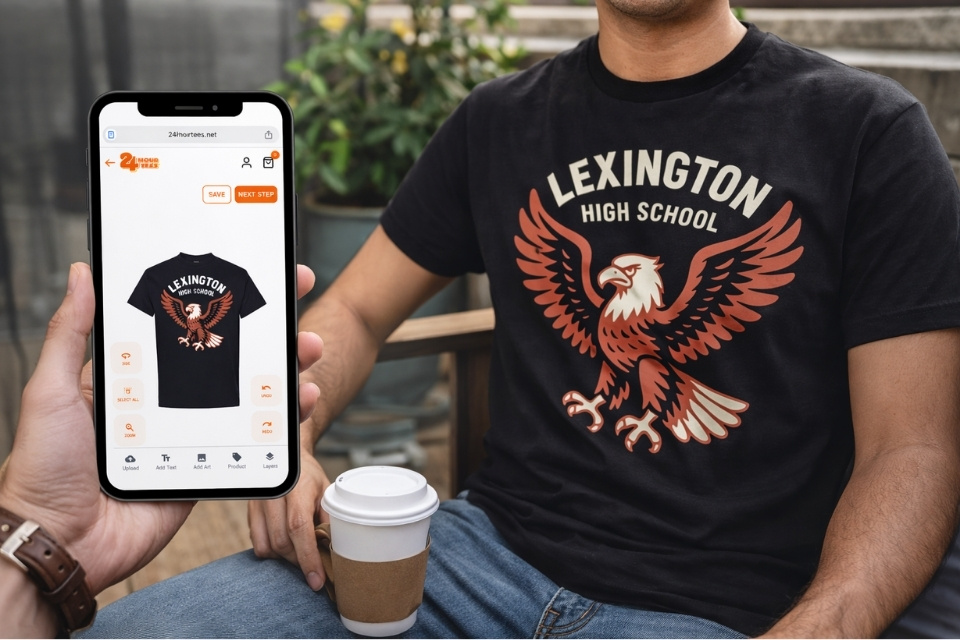
Step 2: Launch the Design Lab and Upload Your SVG
Clicking “Design Now” opens our online Design Lab.
From there:
Click or tap on the Upload tab
Drag and drop your SVG file
or
Browse your device and select the file you downloaded from the T-Shirt Design Maker
Because your file is already screen-print-ready, it uploads cleanly 🎯
Position your artwork on the garment, confirm placement, and adjust sizing if needed.
Step 3: Review Your Order and Apply Your 10% Discount Code
When you proceed to checkout, you will see a field to enter your coupon code.
Use the special 10% OFF code included in your T-Shirt Design Maker download email.
This discount applies to:
Apparel
Printing
Shipping
Rush fees
It applies to your entire order.
That means the savings are not limited to just the shirts. You save across the board.
Edit a design generation with our Remix Feature
Each time you generate a design, it counts as one generation.
That includes creating a brand-new idea and also creating a new version of an existing design.
If you want to change a design you just created, you can click Remix. This sends you back to the form with all of the original settings and prompt pre-filled. You can adjust:
The text
The ink colors
The art style
The prompt description
Any dropdown settings
Then generate a new version.
Important: Using Remix counts as a new generation. It will use one of your free weekly generations or one included in your subscription.
This structure keeps the system fast, fair, and predictable for everyone using the T-Shirt Design Maker.
Free to Start: 3 Designs Every Week
The T-Shirt Design Maker is completely free to try.
Every user gets:
3 free design generations per week
1 free download per week
No account required to start
Every download includes a 10% discount code for your 24 Hour Tees® order.
You get professional artwork and save on printing. 💰
Tips for Writing a Better Prompt for Print-Ready Designs
The quality of your design depends on the clarity of your description. Here are a few tips to get the best results from the T-Shirt Design Maker.
1. Be Specific About Style
Instead of writing:
“Cool school shirt”
Try:
“Vintage distressed school mascot logo with bold block lettering”
The more specific your style direction, the stronger the result.
2. Mention Ink Colors Clearly
If you want a 2-color design, say exactly which colors:
“Two ink colors: navy and gold”
The tool respects your ink count and color selections.
3. Describe the Mood or Energy
Words like:
Retro
Bold
Minimalist
Athletic
Professional
Playful
Help guide the design direction.
4. Keep It Print-Focused
Avoid overly complex details that require gradients or photo effects. Screen printing works best with strong shapes and clean lines.
If you are unsure, choose 1 to 3 ink colors and keep the design bold and simple. Simpler often prints better.
Why Screen-Print-Ready Vector Matters
If you have ever sent an AI-generated image to a print shop, you may have heard:
“Can you send the vector file?”
“Do you have separated colors?”
“We need a transparent background.”
That is because most AI tools are built for digital visuals, not production.
The T-Shirt Design Maker is engineered specifically for:
Ink separation accuracy
Controlled color counts
Scalable vector output
Production-friendly formatting
What you see is what gets printed. 🖨️
Who Is the T-Shirt Design Maker For?
This tool was built for real people with real deadlines.
Schools
Spirit wear, fundraiser shirts, athletic teams, staff appreciation apparel.
HR and Operations Managers
Company events, onboarding swag, safety awareness tees, team merch.
Nonprofits
Awareness campaigns, volunteer appreciation shirts, charity events.
Small Business Owners
Staff uniforms, trade show apparel, grand opening promotions.
Anyone With an Idea
Family reunions, birthday parties, 5K runs, bachelor or bachelorette parties.
If you can describe it, the AI can design it.
Frequently Asked Questions About the T-Shirt Design Maker
-
1. Is the T-Shirt Design Maker really free?
Yes. Every user gets 3 free generations per week and 1 free download per week. Additional generations are available through Quick Boost or monthly plans.
-
2. What file format do I receive?
You receive a screen-print-ready SVG vector file with transparent background. This file can be sent directly to your printer.
-
3. Can I edit a design after it is generated?
There is no traditional “edit” button where you modify artwork directly.
Instead, you use the Remix feature.
When you click Remix, the original settings and prompt load back into the form. You can adjust colors, text, style, or description, then generate a new version.
Keep in mind that Remix counts as a new generation and will use one of your included weekly generations or subscription credits.
-
4. Can I control how many ink colors are used?
Yes. You can select between 1 and 5 ink colors and choose the exact colors. The tool respects those limits when generating your design.
-
5. Is this tool built for screen printing or digital use?
It is built specifically for screen printing production. Every design is structured as a vector with proper color separation and transparent background.
Ready to Try the T-Shirt Design Maker?
The T-Shirt Design Maker by 24 Hour Tees® combines the speed of AI with the technical precision of real production.
- Start with 3 free generations.
- Download your screen-print-ready SVG file.
- Use your 10% discount code.
- Place your order with confidence. 🎯
Design smarter. Print faster. Create without limits.